System Integrations That Make Your Business Work Together
Connect the software, data and platforms your business already uses. Media Booth® builds API integrations, Zapier automation, webhooks, data synchronisation and custom connections that reduce manual work and keep information moving between systems.
Stop Moving Information Between Systems Manually.
Most businesses use several different software platforms every day. The problem starts when those systems do not communicate with each other.
Customer information may begin on your website, move into a CRM, appear again in accounting software, trigger an email platform, create a project and eventually feed into reporting. When those connections are missing, people end up copying information between systems manually.
That creates duplicated work, inconsistent records, missed updates and processes that depend too heavily on staff remembering what needs to happen next.
Media Booth® builds system integrations that connect your existing software through APIs, webhooks, automation platforms, databases and custom development so information can move where it needs to go automatically.
The result is a more connected business where your systems support the workflow instead of creating more administration.
Connect the Systems Your Business Depends On
Integrations can connect customer data, transactions, communications, documents, workflows and reporting across your organisation.
We assess the systems you already use, the information that needs to move between them and the most reliable integration method available.
API Integrations
Connect platforms directly using their available APIs to exchange information, trigger actions and keep systems synchronised.
Zapier Automation
Use Zapier to connect compatible applications quickly and automate repeatable workflows without building every connection from scratch.
Webhooks
Send information instantly when an event occurs, allowing another system to respond as soon as a form is submitted, payment is received or status changes.
Database Integration
Connect applications to central databases so approved information can be stored, retrieved, transformed and shared between systems.
Custom Middleware
Build a dedicated integration layer when multiple systems require custom business logic, data transformation or more advanced control.
Data Synchronisation
Keep selected records aligned across multiple systems so teams are working from current information instead of conflicting copies.
Map the Systems
We identify the platforms involved, what each one controls and which information needs to move between them.
Choose the Connection
Depending on the platforms involved, we may use APIs, Zapier, webhooks, database connections or custom middleware.
Define Triggers
We determine when information should move, what conditions need to be met and what action should happen next.
Test and Monitor
We test normal workflows, failures and exceptions so the integration can be monitored and maintained over time.
The Right Integration for the Right Job
Not every system connection needs custom software, and not every integration should rely on a simple automation tool.
The best integration method depends on the systems involved, the amount of data being transferred, how quickly information needs to move and how important the process is to your business.
For straightforward workflows, an automation platform such as Zapier may provide a fast and practical solution. More complex requirements may need direct API development, database integration or custom middleware that gives your business greater control over validation, error handling and business logic.
Our role is to understand the process first and then select the technology that makes sense for the job.
Common Business Systems We Can Help Connect
Integrate the platforms that manage your customers, finances, marketing, operations and internal workflows.

CRM Integration
Connect website enquiries, sales pipelines, customer records, quoting systems, email activity and downstream operational platforms.
Explore CRM Integration
Finance and Accounting
Connect invoices, payments, customer records, transaction information and reporting between operational systems and accounting platforms.
Connect Your Finance Systems
Custom Business Software
Connect bespoke platforms and internal systems with the external services your business depends on through purpose built integrations.
Explore Custom SoftwareDifferent Ways to Connect Your Business Systems
The right integration architecture depends on the software involved, the information being transferred and how important the workflow is to your operation.
Direct API Integrations
An API allows one software platform to communicate with another through defined requests and responses.
We can use available APIs to retrieve data, create or update records, trigger actions and build workflows between applications.
Direct API integrations can provide greater flexibility and control when a workflow has complex business rules or needs a more reliable connection than a basic automation service can provide.
Zapier Integrations and Automation
Zapier can provide a fast way to connect supported applications and automate workflows between them without developing every integration from the ground up.
A new website enquiry might create a CRM record, generate a task, notify your team and add the contact to another platform automatically.
We can help design, implement and troubleshoot Zapier workflows while determining where a custom connection may be more appropriate.
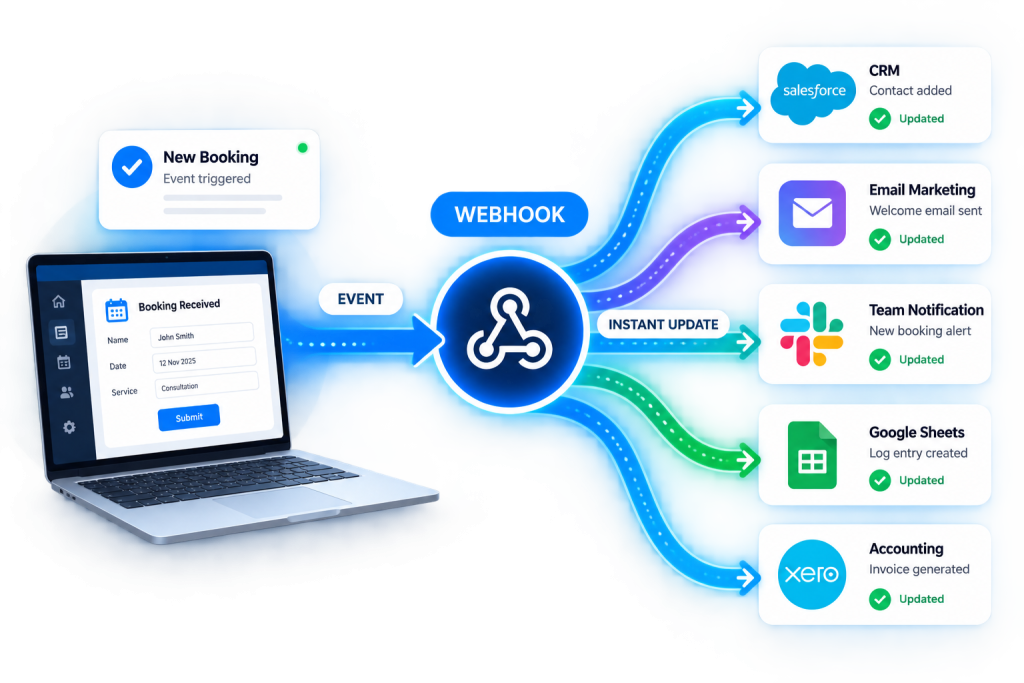
Real Time Workflows With Webhooks
Webhooks allow one system to notify another when an event happens instead of waiting for the second platform to repeatedly check for changes.
This can be useful for payments, forms, bookings, CRM updates, order status changes and many other workflows where another action should happen immediately.
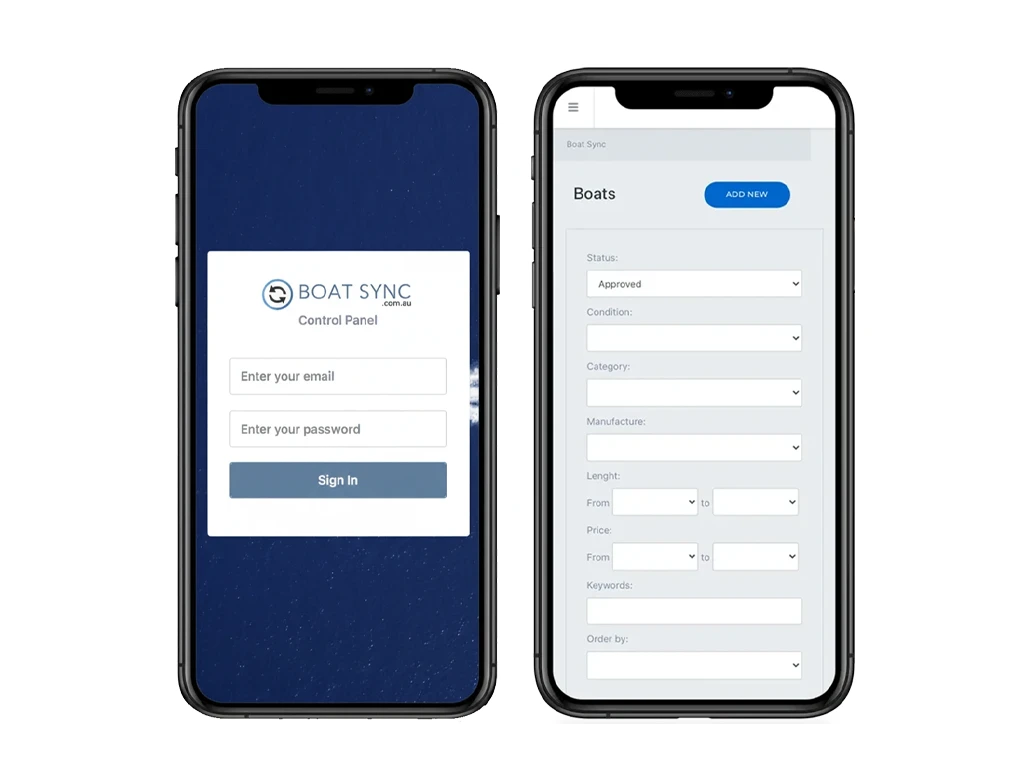
Custom Middleware for Complex Integrations
When several systems need to communicate, a custom integration layer can provide a central place to manage data transformation, validation, routing and error handling.
This approach can be useful when your workflow depends on multiple platforms, custom business rules or information that needs to be processed before reaching another system.
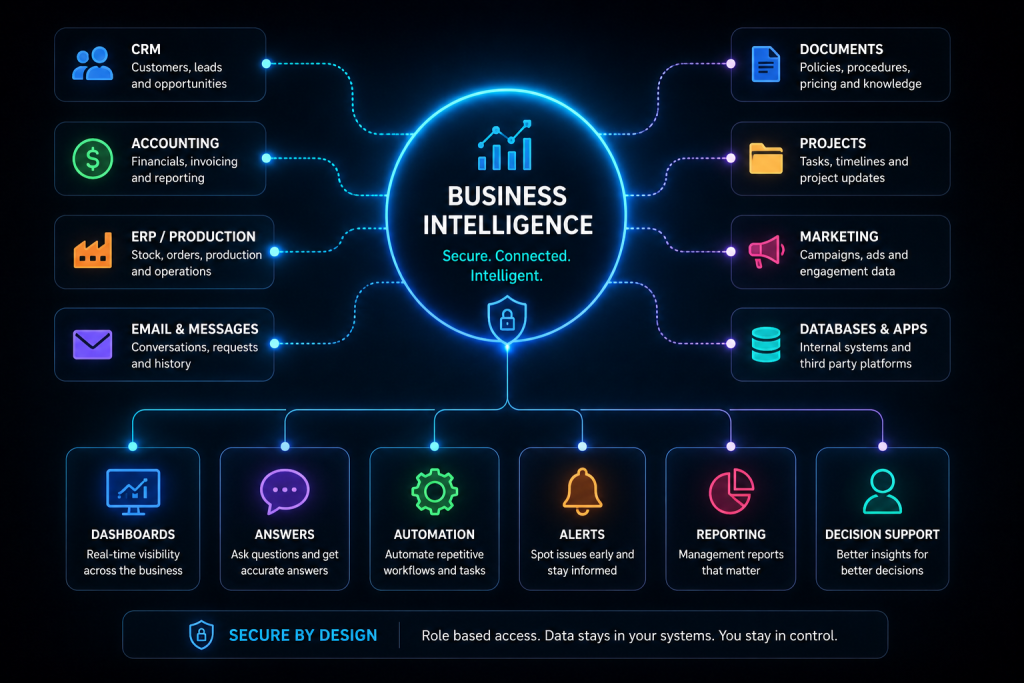
Bring Important Business Data Together
Not every integration is about triggering a task. Sometimes the objective is to make information from several systems available in one place.
Data integration can support reporting, dashboards, business intelligence, customer views and other systems that need access to information from across your organisation.
What Better System Integration Can Change
Connect information once and let your systems handle more of the repetitive movement behind the scenes.
Less Double Entry
Reduce the need for staff to repeatedly enter the same customer, order, project or transaction information into multiple systems.
Fewer Manual Handoffs
Trigger tasks and updates automatically when another part of the process is completed.
Better Data Consistency
Reduce conflicting records by defining which system owns important information and how updates should flow.
Faster Customer Response
Move enquiries and customer activity into the right systems sooner so teams can respond without waiting for manual processing.
Clearer Reporting
Bring information together from multiple systems to support better dashboards, reporting and management visibility.
More Scalable Processes
Reduce processes that only work while someone remembers every manual step, making it easier to handle greater volume as the business grows.
Connect Your Systems to AI and Automation.
AI becomes considerably more useful when it can work with the systems and information your business already relies on.
Instead of creating another isolated tool, integrations can allow approved business information to flow into AI enabled workflows and allow the resulting output to move back into operational systems.
For example, an incoming enquiry could enter your CRM, trigger classification, create a summary, route the opportunity to the right team and generate the appropriate follow up workflow.
Documents can be processed, business information can be searched, structured data can be analysed and actions can be triggered in other platforms where the architecture supports it.
The real opportunity is not simply adding AI. It is connecting AI with your existing business systems in a controlled and useful way.

Frequently Asked Questions About System Integrations
System integration is the process of connecting different software platforms, databases and business applications so information or actions can move between them.
A good integration reduces the need for people to manually copy information between systems and helps create a more connected workflow.
An API integration uses the application programming interface provided by a software platform to exchange data or perform actions programmatically.
For example, an integration might create a customer in a CRM when a website form is submitted, retrieve invoice information from an accounting platform or update another system when a deal changes status.
Zapier can connect supported applications and trigger actions when something happens in another platform.
Common examples include creating CRM records from website forms, sending notifications, updating spreadsheets, creating tasks and moving information between marketing or sales platforms.
Zapier can be a good option for relatively straightforward workflows where both platforms are supported and the available actions meet the requirements.
Custom API development may be more appropriate when the workflow involves complex business logic, high transaction volumes, specialised data handling or functionality that is not available through an automation platform.
A webhook allows a system to send information automatically when a particular event occurs.
For example, a payment platform might send a webhook when a payment succeeds so another system can update the order, create a receipt or begin the next stage of a workflow.
Yes, where the CRM provides suitable integration options. Website enquiries, bookings, form submissions and other customer activity can potentially create or update records inside the CRM automatically.
Potentially, yes. The available options depend on the accounting platform and the access it provides.
Integrations may involve customer records, invoices, payments, transactions or other financial information depending on the requirements and permissions available.
Potentially. If the platform provides an API, webhook support, database access or another suitable method, we may be able to create a custom integration.
We assess the technical options before recommending how the connection should be built.
Yes, depending on the systems involved. Integrations can be designed to synchronise selected records either in one direction or both directions.
It is important to define which system owns each type of information and how conflicts should be handled before implementing synchronisation.
Some integrations can operate in real time or close to real time using APIs and webhooks. Others may be better suited to scheduled synchronisation.
The appropriate approach depends on what the source systems support and how quickly the business needs the information to move.
Good integrations should include validation, logging and appropriate error handling rather than assuming every request will succeed.
For important workflows, monitoring and notifications can be added so failures can be investigated instead of silently causing missing information.
Yes, where suitable APIs, databases or other integration methods are available. AI can form part of a broader workflow that receives approved information, processes it and passes structured results into another business system.
Start by identifying which systems are involved, what information is currently being moved manually and what you want to happen automatically.
We can then review the available APIs, webhooks, automation options and data structure before recommending an integration approach.
Talk to us about System Integrations
Tell us which systems you use and what information currently needs to move between them.
"*" indicates required fields
What Would You Like Your Systems to Do Automatically?
Start with the manual work you want to remove.
You do not need to know whether the answer is an API, Zapier, webhook or custom application before speaking with us.
Show us the systems involved, the current process and where information is being manually copied, delayed or lost. We can assess the available integration options and recommend a practical way to connect the workflow.
Connect CRMs, websites and business applications
Build API and webhook integrations
Automate workflows using Zapier and custom logic
Synchronise information between multiple platforms
Connect business systems to automation and AI workflows
Make Your Systems Work Together.
Connect your software, automate information flow and remove the manual work sitting between the platforms your business already relies on.