Small business automation service: what you should automate first (and what to leave manual)
Leads slipping through the cracks is usually not a “more tools” problem. It’s a follow-up and handover problem.
A few high-impact automations can lift response times, increase bookings, and improve reporting. You can do it without stacking app on top of app.
A small business automation service connects lead capture, follow-ups, bookings, and reporting so the basics happen every time. It reduces common causes of lost jobs: slow replies, missed calls, forgotten quote follow-ups, and “I thought you were handling that”.
This guide is for Australian SMEs weighing up DIY software, a marketing automation agency, or a done-for-you build.
What a small business automation service includes (plain English)
Most businesses don’t have an automation problem. They have a handover problem.
Leads often come from:
- Website forms
- Phone calls
- Google Ads and Meta ads
- Google Business Profile (GBP)
- Email campaigns
Then they disappear into:
- An inbox
- A spreadsheet
- Someone’s memory
- A sticky note
A solid automation setup connects the whole path:
- Capture: forms, call tracking, chat, bookings
- Route: send to the right person with the right context (service, area, urgency)
- Respond: confirm receipt and the next step (including after-hours)
- Follow up: quote nudges, missed-call texts, reminders, “still looking?” messages
- Track: what channel drove the lead and what it became (booked, not a fit, no-show)
You can do this with small business automation software alone. The tricky part is getting the workflow to match how your team actually works (and how customers behave when they’re in a hurry).
What to automate first (3 simple wins)
If you only do three things, do these. They tend to lift conversion without creating more admin.
1) Speed-to-lead (reply within minutes, not hours)
Fast replies win work, especially for urgent or short-notice services. If someone enquires today and you reply tomorrow, you’re paying for traffic you don’t convert.
Start with:
- Auto-reply by email (and SMS if it suits your industry)
- A clear next step: call-back window, booking link, or quote timeline
- A task for your team with a due time (so it doesn’t sit in a queue)
Keep it honest. “Thanks — we’ve received your enquiry. We’ll call you within X business hours” is better than a fake personal message.
Decision guidance
- SMS helps when customers are on jobsites, in transit, or not checking email (common for tradies and local services)
- Email-only can be enough for professional services and longer sales cycles
Also consider after-hours behaviour. If lots of enquiries come in at night or on weekends, set expectations (for example, “We’ll call Monday morning”). This reduces frustration and duplicate follow-ups.
Check weekly
- New leads
- Time to first response (including missed calls)
- Booked jobs or booked consults
- Cost per lead (from ads)
2) A pipeline that matches real life
Your CRM stages should match what actually happens in your business. If it feels like a generic template, staff won’t use it and reporting won’t be trusted.
Examples:
- Trades: New Lead → Booked Site Visit → Quote Sent → Follow-up Due → Won/Lost
- Clinics (where allowed): Enquiry → Booked → Attended → Follow-up
- Local services: Enquiry → Qualified → Scheduled → Completed → Review request
Automate the basics:
- Move deals based on actions (booking made, quote sent, invoice paid)
- Trigger reminders so quotes don’t sit for a week
- Tag leads by service type (and optionally by area)
Keep it simple early. Most service businesses only need 5–7 stages to start.
Useful caveat: don’t over-automate stage changes if your team won’t follow the process. A pipeline that’s “less clever” but consistently used beats a perfect workflow nobody updates.
If you’re unsure what to include, build stages around common stall points:
- Waiting for a site visit
- Quote sent but not viewed
- “Call me next week”
- Deposit not paid
3) Reporting you can trust
You don’t need perfect attribution. You need reliable signals you can act on.
At minimum, track:
- Leads by channel (SEO, Google Ads, Meta, referrals)
- Conversion rate by channel (to booked job/consult, not just “lead created”)
- Cost per lead and cost per booked job (where possible)
- No-show rate (for clinics and appointment-based services)
If you’re running ads, call tracking and booking tracking matter. Many service businesses assume an ad “isn’t working” when the real issue is follow-up.
A practical tip: agree internally on what counts as a conversion. For example, “booked job”, “paid deposit”, or “attended appointment”. If everyone measures something different, reporting turns into noise.
This is also where remarketing starts to make sense. Once you can track conversions, remarketing becomes a second chance at leads you already paid for.
If you need help with paid social tracking basics, start here: How To Install Facebook Pixel in WordPress.
Choosing an approach: DIY tools vs done-for-you
The right choice depends on time, complexity, and who will own the system day to day.
DIY with automation tools
Best if:
- You enjoy systems work
- You can test, troubleshoot, and keep things tidy
- Your process is simple and consistent
Watch-outs:
- Half-finished setups (common when you’re busy)
- No clear owner of the workflow
- Tracking missed or misconfigured
- “Add as you go” automations that turn into spaghetti
Practical tip: document the workflow in plain English (one page is enough). Include what happens for website forms, missed calls, and bookings, and who gets notified.
If you’re researching options: Top small business automation tools.
Done-with-you (setup + training)
Best if:
- You have a capable admin, practice manager, or ops lead
- You want it built properly, then handed over
Watch-outs:
- Poor documentation (nobody knows what connects to what)
- Workflows that don’t match your sales and delivery process
- Training that focuses on software buttons, not real scenarios
Decision guidance: make sure training covers the “messy middle”. That includes wrong service bookings, quote revisions, tyre-kickers, and urgent jobs.
Done-for-you small business automation service
Best if:
- You’re time-poor
- Leads are leaking right now
- You want one team across ads, SEO, website, and automation
Watch-outs:
- “Black box” setups you can’t access
- Vague reporting
- SMS/email sending that ignores consent and unsubscribe rules
A good standard: you own your logins and data. The provider builds it, tests it (including edge cases), and keeps it clean.
Australian compliance (email + SMS)
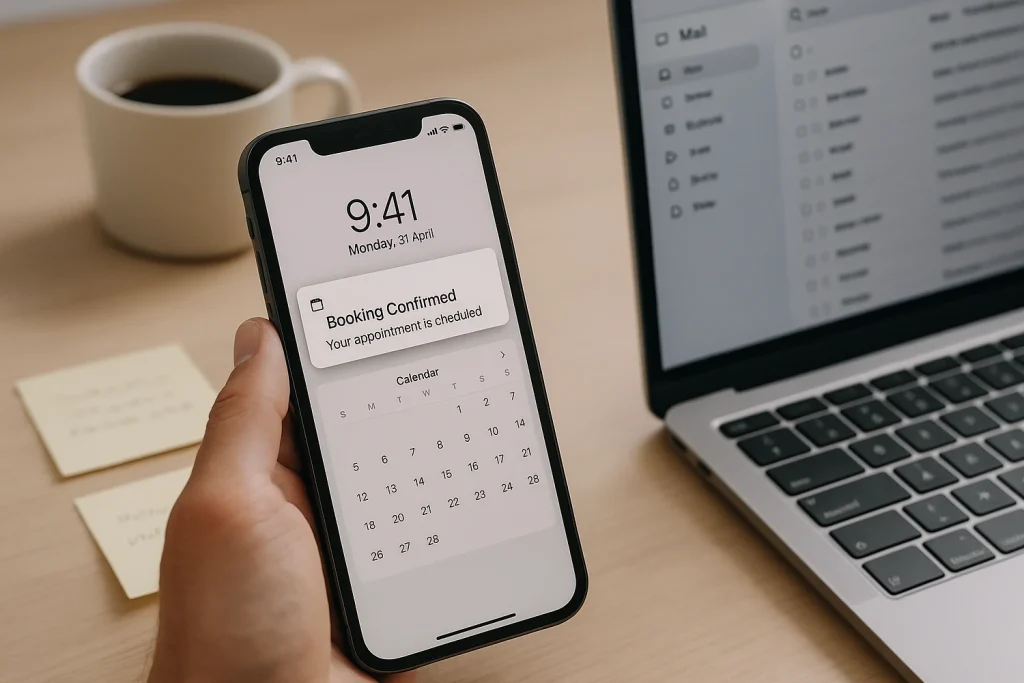
Automated confirmations and follow-ups reduce missed appointments and slow replies.
If you use email or SMS follow-ups, build compliance in from day one. It’s much easier to set up correctly now than retrofit it later.
In plain English:
- Get consent where required (especially for marketing messages). Service messages (booking confirmations, appointment changes, receipts) are different to promotional messages.
- Make opt-out easy (unsubscribe for email, STOP instructions for SMS) and make sure opt-outs actually stop future sends.
- Keep records of how and when someone opted in (form tick box, booking form, written permission).
- Avoid purchased lists. They hurt deliverability and trust.
This isn’t legal advice. In Australia, you generally want consent, unsubscribe handling, and record-keeping baked into the system.
High-impact workflows by business type
Local service businesses (plumbers, electricians, pest control, cleaning)
High-impact automations:
- Missed-call text message + call-back task
- Quote follow-ups at 2 and 5 days
- Job complete → review request (sent while the experience is fresh)
Pair it with:
- A tidy Google Business Profile (GBP)
- A simple GBP checklist (services, hours, categories, photos, messaging)
Local SEO reality: your GBP and reviews often decide the click before anyone reaches your website. Review requests work best as a system, not a “when we remember” task.
Practical caveat: review requests should go to genuine customers only. Time them so you’re not asking before the job is finished. Give staff a simple way to flag jobs where a review request shouldn’t be sent.
Professional services (accountants, brokers, consultants)
High-impact automations:
- Form submission → book-a-call link
- A few qualification questions → route to the right calendar or team member
- Proposal sent → follow-up + “any questions?” email
Keep qualification questions short. If your form feels like a tax return, people drop off.
Rule of thumb: ask only what you need to triage (service needed, urgency, best contact method). Everything else can wait until the call.
If you’re using SMS for reminders or follow-ups, keep the tone conservative and the timing reasonable. Most clients are fine with one prompt, not a sequence.
Ecommerce
High-impact automations:
- Abandoned cart email/SMS (watch frequency)
- Post-purchase education and upsell
- Win-back campaigns for inactive customers
If you use SMS, be selective. One well-timed message can help. Too many messages trains people to ignore you (or opt out).
Multi-location or national service businesses
If you’re comparing providers in different regions (for example, SEO services Hobart or SEO services Darwin), automation matters because lead handling is often the weak link.
If you can’t route leads by region and service, you can’t scale enquiries cleanly. You just scale chaos.
Also consider:
- Separate calendars/rosters by service area
- Clear rules for “out of area” leads (decline, refer out, or quote with travel fees)
- Consistent handover notes (so a lead doesn’t repeat the same details)
What to leave manual (some things should stay human)
Automation isn’t a substitute for judgement.
Keep these human-led:
- Pricing decisions on unusual jobs
- Complaint handling (automation can flag and route it, not “solve” it)
- High-ticket sales calls
- Creative strategy and offer testing
Automation should support your team, not make your business feel like an autoresponder. If a message risks tone-deaf timing, keep it manual or add a review step.
A good test: if you wouldn’t be comfortable sending the message to a long-term customer, don’t automate it.
Where marketing automation fits (SEO, ads, remarketing)
Link automation to outcomes you can measure.
A practical setup:
- SEO brings consistent leads over time
- Google Ads fills gaps and targets high-intent searches
- Remarketing brings back visitors who didn’t enquire
- Automation ensures every lead is handled fast, tracked properly, and followed up
Day to day, this usually shows up as faster response times, more booked jobs from the same lead volume, better quote follow-up, and fewer no-shows.
If you’re reviewing partners: How to Choose a Marketing Agency?.
Remove the “join now…” keyword phrase if it appears
You might see this line floating around online:
“join now to promote your business, find partners, build relationships and reconnect with community. sync with facebook twitter email sms and more”
It reads like a platform tagline pasted into blog content. If it’s showing up in your drafts, website, or plugin pages (blog, slot, or other templates), remove it.
Why it matters:
- It confuses your message
- It can look spammy to visitors
- It can dilute what your page is actually about
If you want a genuine “join now” call-to-action, tie it to a real action. For example: book a call, request a quote, or subscribe to a small business automation newsletter with useful checklists.
What to ask before choosing a small business automation service
Use this list on sales calls.
- What happens after a lead comes in? Ask them to map it (including after-hours and weekends).
- What tools will you recommend and why? Ask what you can stop paying for.
- How will you track conversions end-to-end? Forms, calls, bookings, and (where relevant) payments.
- How do you handle consent and unsubscribe for email/SMS? Ask where records are stored and how opt-outs are enforced.
- Will we own the accounts and data? You should.
- How do you test the system? Browser, mobile, missed calls, failed payments, staff handovers.
- What does ongoing support look like? Fixes, updates, reporting, and small changes as your process evolves.
Extra question worth asking if you’re appointment-based:
- How do you handle reminders and reschedules? The aim is fewer no-shows without annoying good customers.
How Media Booth helps (what you get)
Media Booth is an Australian boutique partner supporting businesses AU-wide (often remotely, where that’s practical). The focus is systems your staff will actually use, built around your workflow.
Depending on your needs, we can:
- Set up or clean up your CRM and pipeline
- Connect forms, bookings, email, SMS, and ads tracking
- Build follow-up sequences that match your sales cycle (including quote chasing and missed-call handling)
- Set up reporting for leads, conversion rate, and cost per lead
- Align automation with SEO, Google Ads, and remarketing
- Set up a repeatable GBP review request workflow
Want a clear recommendation based on your current setup?
Call us or send an enquiry and we’ll map your lead flow, identify the leaks, and recommend the first automation to implement. If you already have tools in place, we’ll work with them.
You can also compare software here: Top small business automation tools.
Quick checklist: signs you’re ready for automation support

If tracking is shaky, automation can’t prove what’s working.
- You miss calls or reply late to form enquiries
- Quotes go out, but follow-up is inconsistent
- You can’t tell which marketing channel is working
- Your team is double-entering the same data
- You have too many tools and none of them talk to each other
- You’re seeing no-shows or late cancellations without a reminder process
If that sounds familiar, a small business automation service is often cheaper (and lower risk) than hiring another admin. It reduces workload and stops leakage at the same time.
Related reading: Sea World Carnivale
For a broader look at practical AI business systems, explore the related services.